Posts

Showing posts with the label Adobe Illustrator

Things My Grandpa Told Me
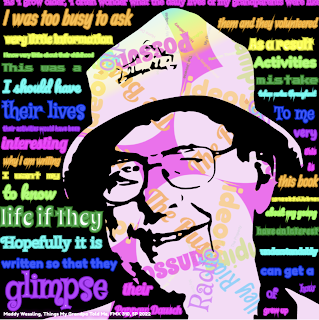
Image
  ***IMAGE FLASH WARNING: PLEASE DO NOT WATCH THE VIDEO IF YOU ARE SENSITIVE TO MOVEMENT OR FLASHING LIGHTS*** Here is my Kinetic Typography project! For this assignment, we needed to take  text from an existing piece of work and put it into an interactive canvas. We had a lot of freedom in what we wanted to use for this project and I chose a very special piece of text and image for mine. I LOVE how this piece turned out! It is one of my favorite pieces to date. Fantastical Facts: Kinetic Typography Edition: This project is 1,959 lines in total, including the Javascript files. This one was not as much as the last project, but still pretty hefty in the file size with all of the text. It didn't break my computer this time, but was close a few times!  The image used is my Grandpa Fred who sadly passed away a few years ago. Before he passed, he wrote all of his grandchildren a book called, "Things I Wish My Grandparents Told Me", about his life and childhood. I used text from...
It's My Party

Image
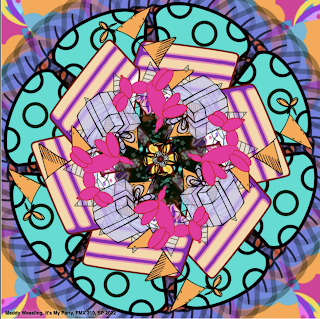
  ***IMAGE FLASH WARNING: PLEASE DO NOT WATCH THE VIDEO IF YOU ARE SENSITIVE TO MOVEMENT OR FLASHING LIGHTS*** Here is my Illustrator Mandala project entitled, "It's My Party!" For this project we needed to take more complicated images than the Image Mandala and take them into Adobe Illustrator, simplify them, and make a mandala out of the images in Adobe Dreamweaver. These images were imported using Javascript files, so that way we were able to make cool changes to the images without having a disorganized code. Fantastical Facts: Illustrator Mandala Edition: This project is 6,261 lines total! This is by far the biggest project so far! A good amount of the lines were generated from Illustrator and then made into Javascript files, however, they are still counted in the total as they are referenced in the main source code.  It was a challenge in this project to find images that weren't too complicated so that way the code could run without crashing the computer. Luckily...

Calligram

Image
  Here is my Calligram project! This one I completed a while ago, however, it was not the greatest....The original is the pastel rainbow version. I had a hard time envisioning where the words should go and making the Calligram visible. After seeing some examples in class, I realized I needed to play around with the size, the amount, and the shapes of the words. I also added a white background to the outline of myself to make it stand out a little more. I decided in the end that the blue gradient background worked better than the rainbow one, so I chose that one in the new final product. In the end, I am really happy with my progress! It goes to show that mistakes happen, but you can always persevere and learn from slip-ups.  Fantastical Facts: Calligram Edition: The text in both versions of the Calligram are from notes that both my mom and dad wrote for me. My dads was from when I graduated high school and my moms was just a random, sweet note.  The original image is from...

H.O.P.E.

Image
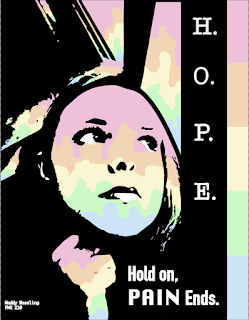
  Here is my finished design for my latest project! I LOVE how this piece turned out! Of course I had to use my favorite pastel colors. The rainbow just makes me very happy and I thought the colors fit well here with the stark black contrast. Fantastical Facts: Poster Edition This took a little longer than I had anticipated. I had a hard time finding the right picture to turn into black and white, and that would fit with the quote I was using. The final reference image was actually taken during a rough time and really fits the context of the quote so I am happy this image translated well. I like how the window looks like it is dripping down with the rainbow colors. In the original image, it was raining outside, so I decided to make it look it like it was raining a rainbow outside.  Believe it or not, the reference image was taken on a school bus! The final black and white image doesn't really look too much like a bus but I am really glad the background looks the way it does....

Business Cards & Logo

Image
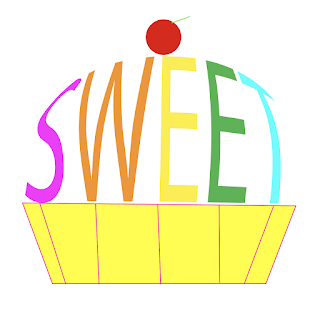
  Here are my final designs for my Digital Media class! For this project, we needed to create a business logo and cards based off of a word that best describes us! I chose the word 'sweet' after a lot of debate. All objects are made in Illustrator, apart from the mood board and the sketches. Fantastical Facts: Sweets Inc. Edition: Sweets Inc. is not a real company, just made for the purpose of this project! Please don't contact any of the information listed, as it is fake! !! All of this is just a demo !! I almost chose the word 'colorful' and made a paintbrush instead of the letter 'l', but liked the sweet logo SO much that I decided to do that instead Thank you to Mom and Dad for helping me pick out the words, final designs, and supporting my work! You guys are the best! ❤️ Hall of Fame Piece 💫 As always, thank you for supporting this small artist and blog! I hope you enjoy the work as much as I do when I create it! Have a magical day! -Maddy Wessling

Cookie Cat

Image
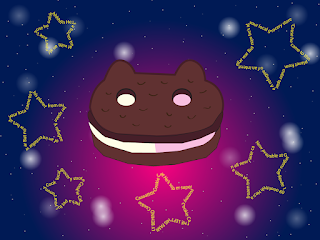
Here's Cookie Cat from Steven Universe! I really really like how this piece turned out! Illustrator is one of my new favorite things to work with! It is really precise and can turn simple lines into amazing pieces of art!  Fantastical Facts: Cookie Cat Edition: The words in the stars are the lyrics to the song Steven sings in the very first episode! The smaller stars in the background are handmade symbols placed over and over again. As always, thank you for supporting this small artist and blog! I hope you enjoy the work as much as I do when I create it! Have a magical day! -Maddy Wessling  

Presenting: Pikachu

Image
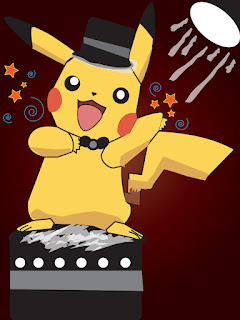
Ladies and Gentleman, here's the star of this artwork, Pikachu! For this assignment, we were given a template of Pikachu and we needed to outline and fill him in using Illustrator. However, I got a little creative, and added some details to the piece.  Fantastical Facts: Pikachu Edition: I did not really like the plain background, so I took inspiration from the contest element in the Pokemon games and made Pikachu bask in the spotlight! The lines aren't perfect and I got a little too complicated, but I know now how to edit that for future projects  As always, thank you for supporting this small artist and blog! I hope you enjoy the work as much as I do when I create it! Have a magical day! -Maddy Wessling

Balloon Dog Party

Image
 Here is my first ever finished work in Adobe Illustrator! I LOVE this piece! Illustrator is just so fun to work with and I am having a great time learning how to make new artwork with this program!  Fantastical Facts: Balloon Dog Edition: I have never worked in Illustrator before this piece! I have a balloon dog figure in my room and that is where I took inspiration from! The confetti brush and the pastel gradient section in Illustrator gave me SO much inspiration!  As always, thank you for supporting this small artist and blog! I hope you enjoy the work as much as I do when I create it! Have a magical day! -Maddy Wessling