Posts

Showing posts with the label Adobe Dreamweaver

Doxie Dash

Image
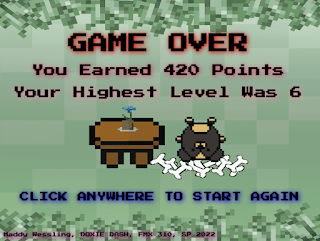
***IMAGE FLASH WARNING: PLEASE DO NOT WATCH THE VIDEO IF YOU ARE SENSITIVE TO MOVEMENT OR FLASHING LIGHTS*** Here is my final Creative Coding project, the OOP game! My game is called Doxie Dash and the goal is simple: eat as much food as possible without eating worms! Food increases your points, and worms decrease your points. Whoever has the most points wins, or go for your own high score!  If you would like to play the game for yourself, you can play it here :  Doxie Dash Fantastical Facts: Doxie Dash Edition: This project is 717 lines in total, including all of the external Javascript files. That isn't too bad, but the file size is by far the biggest one yet, with all of the images and music elements.  These characters may look familiar, and that is because they are from my last project! I did make more doxies other than Coco! They are all named after real life doxies in the code!  I really wanted the levels to change without having to collect the worms, however, ...
Coco Sprite Sheet

Image
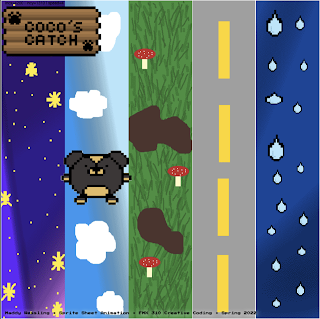
  ***IMAGE FLASH WARNING: PLEASE DO NOT WATCH THE VIDEO IF YOU ARE SENSITIVE TO MOVEMENT OR FLASHING LIGHTS*** Here is my Sprite sheet project! This leads up to the next final project, which is making a game in Dreamweaver! But for this project, we needed to take either 8-bits of our own creation, or photos of ourselves and create a sprite sheet out of it using Dreamweaver and Photoshop. I also used two extra programs to create the 8-bits: Piskel and Pixilart, both free online. I am really happy with how this piece turned out! I love how Coco looks and moves! It is not perfect, but for my first time creating and animating 8-bits, I think it turned out well!  Fantastical Facts: Sprite Sheet Edition: This project is 437 lines in total, which isn't that much compared to other projects. However, the most time consuming part wasn't the code, but the creation of the 8-bits, sprite sheet, and backgrounds.  I chose to make 8-bits rather than use photos of myself because the final...

SYSTEM ERROR

Image
  ***IMAGE FLASH WARNING: PLEASE DO NOT WATCH THE VIDEO IF YOU ARE SENSITIVE TO MOVEMENT OR FLASHING LIGHTS*** Here is my Eternal Motion project! For this project, we needed to take an image, crop out all of the body parts, and make them move eternally. I also added some extra flashing shapes and text to give the piece some more style. I like how this piece turned out! I think it really puts together Freddy as an animatronic and coding skills into one piece.  Fantastical Facts: Eternal Motion Edition: This project is 881 lines in total! Not that bad for everything that was imported and moved around! I chose Glamrock Freddy from Five Nights at Freddy's Security Breach because I really like his connection with Gregory in the game and thought an animatronic would be perfect for this piece. Some of the text are lines from the game and some of it is some I made up while making the project. I thought that the arms kind of look like Freddy was cleaning up something so I decided to ta...

Things My Grandpa Told Me

Image
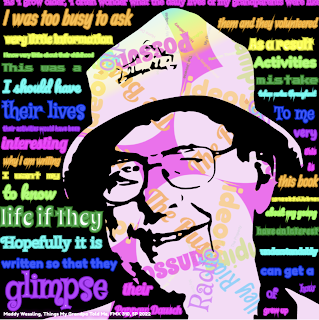
  ***IMAGE FLASH WARNING: PLEASE DO NOT WATCH THE VIDEO IF YOU ARE SENSITIVE TO MOVEMENT OR FLASHING LIGHTS*** Here is my Kinetic Typography project! For this assignment, we needed to take  text from an existing piece of work and put it into an interactive canvas. We had a lot of freedom in what we wanted to use for this project and I chose a very special piece of text and image for mine. I LOVE how this piece turned out! It is one of my favorite pieces to date. Fantastical Facts: Kinetic Typography Edition: This project is 1,959 lines in total, including the Javascript files. This one was not as much as the last project, but still pretty hefty in the file size with all of the text. It didn't break my computer this time, but was close a few times!  The image used is my Grandpa Fred who sadly passed away a few years ago. Before he passed, he wrote all of his grandchildren a book called, "Things I Wish My Grandparents Told Me", about his life and childhood. I used text from...

It's My Party

Image
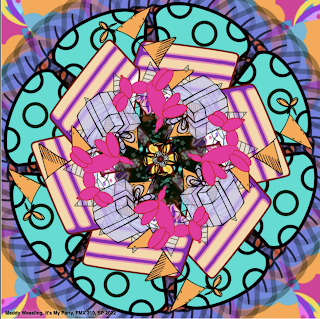
  ***IMAGE FLASH WARNING: PLEASE DO NOT WATCH THE VIDEO IF YOU ARE SENSITIVE TO MOVEMENT OR FLASHING LIGHTS*** Here is my Illustrator Mandala project entitled, "It's My Party!" For this project we needed to take more complicated images than the Image Mandala and take them into Adobe Illustrator, simplify them, and make a mandala out of the images in Adobe Dreamweaver. These images were imported using Javascript files, so that way we were able to make cool changes to the images without having a disorganized code. Fantastical Facts: Illustrator Mandala Edition: This project is 6,261 lines total! This is by far the biggest project so far! A good amount of the lines were generated from Illustrator and then made into Javascript files, however, they are still counted in the total as they are referenced in the main source code.  It was a challenge in this project to find images that weren't too complicated so that way the code could run without crashing the computer. Luckily...

Vector Mandala

Image
***IMAGE FLASH WARNING: PLEASE DO NOT WATCH THE VIDEO IF YOU ARE SENSITIVE TO MOVEMENT OR FLASHING LIGHTS*** Here is my Vector Mandala project! Our objective for this assignment was to make shapes and vectors out of code and then create a mandala. We needed to have at least 10 different canvases, each with their own interactive element. I tried something a little bit out of what I usually create and decided to use more black elements to create a space theme. I am really happy with how this piece turned out and I am glad I went a little out of my comfort zone with the colors!  Fantastical Facts: Vector Mandala Edition: This project is 896 lines total! Still not my biggest project but for sure  broke my computer! The hefty code broke my high-powered Macbook Pro at least 3 times!  With the code being so large, I wasn't able to achieve everything I originally wanted. I wanted the center planet to be rotating in color, like my previous project, but it was just too much on the ...

Image Mandala

Image
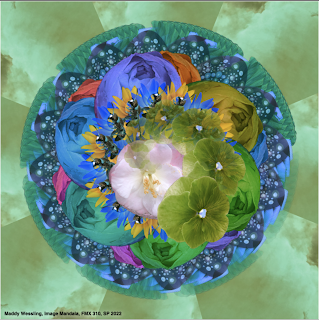
***IMAGE FLASH WARNING: PLEASE DO NOT WATCH THE VIDEO IF YOU ARE SENSITIVE TO MOVEMENT OR FLASHING LIGHTS*** Here is my Image Mandala project! Our assignment for this project was to take 10 images that we took ourselves, and make it into a mandala using both Dreamweaver and Photoshop. This project was so much fun for me! I really enjoyed how much creative freedom we had with the coding process and that we had to take the pictures ourselves. The mandala is for sure one of my favorite projects I've done so far in Dreamweaver! Fantastical Facts: Image Mandala Edition: This project is 619 lines total! It isn't a whole lot compared to a code like Totoro, however, the effects that can be made in those lines are incredible! It goes to show that sometimes less can be more.    The background image is of a sunset from my backyard. The bee towards the center and some of the flowers are from flowers that I used to grow in high school for FFA. Some of the other flowers and the leaves are f...

Blue Totoro's Sunset

Image
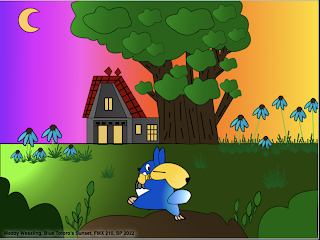
This is my first project in my Creative Coding (FMX 310) class! It is titled, "Blue Totoro's Sunset." The image is based off of Studio Ghibli's "My Neighbor Totoro." It is one of my favorite movies, and probably my favorite Studio Ghibli film, so I created an Illustration and then recreated it in code for this project. The only parameters for this project was to have detail and to have something move within Dreamweaver. I am so proud of how this turned out! It is my favorite Dreamweaver project yet!  Fantastical Facts: Blue Totoro Edition: The original illustration was actually once two. When I showed my teacher Santi some sketches from my sketchbook for this project, I planned on doing my D&D Koi Mermaid character. However, my teacher actually liked the Blue Totoro and background flowers as they were two separate sketches. He told me to combine them and create a background which is the final rendition!  The house is based off of Satsuki and Mei's ho...

Care Bears Countdown

Image
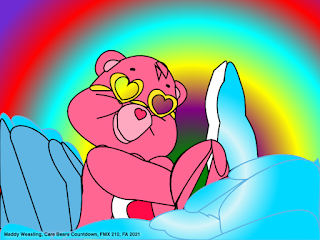
 Here is my finished version of Love a Lot Bear! It is not perfect, and I really need to work on perfecting the lines, but I am proud of my progress and how far I have come within a short time. The background and the part of the clouds does move, but I chose this still image to post here. This project took 20+ hours and a whopping 1,441 lines of code!

Gumball

Image
 Here is a lovely finished work of Gumball from The Amazing World of Gumball in HTML5! With the help from my Digital Media teacher, I was able to successfully code Gumball. I am really impressed that I was able to code the lines around the face so cleanly. I really love how this piece turned out! 

Seascape

Image
Here is another project I completed in HTML5! I really enjoyed creating this! It took quite a while, but I am really proud that I was able to add some animated elements to this. I hope you all enjoy!

Say Cheese!

Image
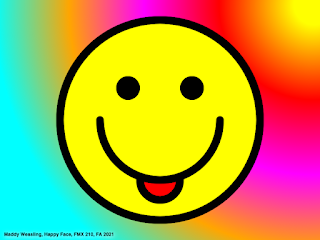
  Here is a finished HTML 5 canvas piece! My teacher taught us how to create this using only code! I LOVE how this piece turned out! I really like the rainbow effect in the back and how the colors pop! 

Radial and Linear Gradients

Image
 Here is a finished practice piece using both radial and linear gradients! I really like the way that this turned out! I actually made an error in the code originally, which created the pointy cone-like shapes. I decided that I liked it better than what I was going for before, so I kept it. I am really proud of my learning progress so far! In a short few weeks, I've went from not knowing anything about coding at all, to making this! I'm going to keep working hard, so please stay tuned and thanks for visiting!

First Try at Dreamweaver

Image
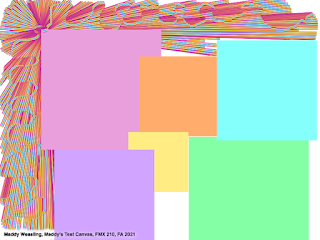
This may look a little chaotic but here is my first ever try at coding in Dreamweaver! I did this all using code to place where the squares and lines are on the canvas. It may not look like much, but I feel proud that I was actually able to code objects and lines! Hopefully I can continue to grow and create more pictures within Dreamweaver.