Posts

Showing posts with the label Other

Innocence Castle

Image
Here is my sixth and final project for my Multimedia Installation class! This project was to create something personal on any scale or any subject we chose! I decided to use a white wooden castle, some doll furniture, and childhood images for my project. The song used in the video is 'Tiger Tiger' by Webkinz.  Fantastical Facts: Innocence Castle Edition: The castle I used is a smaller wooden castle that was painted white. Then my mom helped me cover all of the windows and place a small piece of paper in each section in order for the images to appear clearly. Each section has a different theme. One is images of my family's first home. Two are of fun moments from my childhood. One is special events (birthdays, Halloween, etc). One is of my cousins and I at my cousin's birthday party. Another is my stuffed cat, Kiki, changing colors. I also included one of some of my other stuffed animals and another funny clip of me dancing when I was younger. In total, there are ten diff...
Camera Obscura

Image
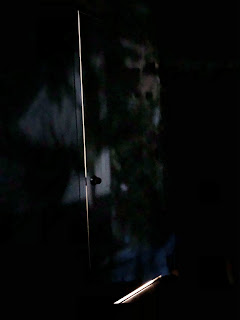
  Here is my third project for my Multimedia Installation class! For this project, we needed to create a Camera Obscura within our own homes using supplies that we had! Fantastical Facts: Camera Obscura Edition: This project was a little difficult because of the view from our windows. In my house, we have nice views of plants and even a pool, but because of how the windows are positioned, not much is seen when the room is darkened. Some of the windows were also too big to cover with just trash bags, so I really only had one window option. That is why the pictures are not the most exciting due to the view. I found a little hack to cut the circle perfectly! The diameter needed to be around two inches, and it turns out the little Keurig cups are perfect! It made cutting the hole in the trash bags so much easier! The pictures were also a little bit difficult to take because of the dark room. I really liked how they turned out though!  As always, thank you for supporting this small...

Fragmented Video- Doxies In Space

Image
Here is my second project for my Multimedia Installation class! For this project, we needed to create a fragmented video with 6 to 9 squares all with footage that went together. I decided to step out of the box a bit and create a 6 canvas wide painting that when put together, makes one giant painting called, Doxies In Space ! I filmed the footage of myself painting it and made the clips into 6 sections to achieve the product. Fantastical Facts: Doxies In Space Edition: All together, the footage took a little over 2 hours to film and paint! Each clip had to be filmed one at a time, panel by panel. It took about a week of prep work as well, drawing on the canvases and getting all of the supplies set.  After each panel was filmed, I then converted all of the files over to my computer to save space. Because I filmed on my IPhone 8, I didn't have a lot of space to work with storage wise.  Once I had everything filmed, I made the panels using precise math in Premiere Pro. Then I edi...

Videoart- Beauty is Error

***IMAGE FLASH WARNING: PLEASE DO NOT WATCH THE VIDEO IF YOU ARE SENSITIVE TO MOVEMENT OR FLASHING LIGHTS*** Here is my first project for my Multimedia Installation class! This class will be very different from what I have done in the past, using new techniques and software. Our assignment was to create a one minute video, including credits, on the topic of "embracing the error." All sound was made using Garageband and mixkit.co.  Fantastical Facts: Beauty is Error Edition: Beauty is Error is about embracing the error in the way that women think about their bodies. We have pre-conceived notions that out bodies should look a certain way, and we should embrace the way we naturally are more often.  I am not a huge video editor so I am really proud of how I was able to create different effects using Premiere Pro. Messing around with different effects and speeds was a lot of fun and something different from what I usually do!  I am also not used to making sound for pieces so i...

A Nice Swim

Image
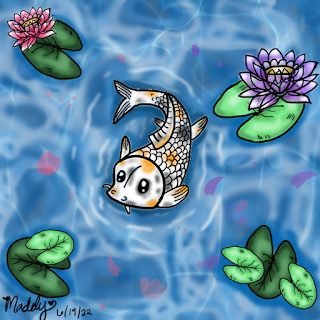
Here is a digital drawing I did today of a koi fish swimming! I was practicing using FireAlpaca and really liked how this one turned out!  Fantastical Facts: A Nice Swim Edition: I used some image overlay to create some texture in the water! By lowering the opacity, I was able to have the bottom layer show while still having a texturized top layer.    This is apart of my art challenge for June! I won't be posting all of the drawings I've done/will do, but just a select few that I really like.   As always, thank you for supporting this small artist and blog! I hope you enjoy the work as much as I do when I create it! Have a magical day! -Maddy Wessling  

Waitress Sakana

Image
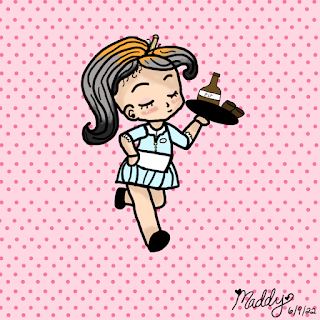
Hello! It's been a little while...I've been busy practicing my digital drawing skills by doing an art challenge everyday for the month of June. Here is one I did today of my D&D character, Sakana! The challenge was to create a different job for the character and I chose a waitress.  Fantastical Facts: Waitress Sakana Edition: The software I used to create this piece was FireAlpaca! It is a free drawing software! I really like all of the different brush options you can choose from. FireAlpaca was really easy to learn, and I've picked it up over the past week.   I chose to practice a more Chibi style of drawing, rather than realistic. I really like the cartoony feel!   As always, thank you for supporting this small artist and blog! I hope you enjoy the work as much as I do when I create it! Have a magical day! -Maddy Wessling

Doxie Dash

Image
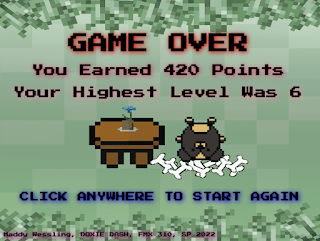
***IMAGE FLASH WARNING: PLEASE DO NOT WATCH THE VIDEO IF YOU ARE SENSITIVE TO MOVEMENT OR FLASHING LIGHTS*** Here is my final Creative Coding project, the OOP game! My game is called Doxie Dash and the goal is simple: eat as much food as possible without eating worms! Food increases your points, and worms decrease your points. Whoever has the most points wins, or go for your own high score!  If you would like to play the game for yourself, you can play it here :  Doxie Dash Fantastical Facts: Doxie Dash Edition: This project is 717 lines in total, including all of the external Javascript files. That isn't too bad, but the file size is by far the biggest one yet, with all of the images and music elements.  These characters may look familiar, and that is because they are from my last project! I did make more doxies other than Coco! They are all named after real life doxies in the code!  I really wanted the levels to change without having to collect the worms, however, ...

Coco Sprite Sheet

Image
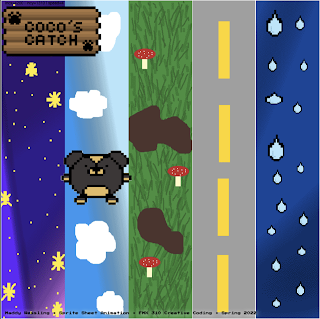
  ***IMAGE FLASH WARNING: PLEASE DO NOT WATCH THE VIDEO IF YOU ARE SENSITIVE TO MOVEMENT OR FLASHING LIGHTS*** Here is my Sprite sheet project! This leads up to the next final project, which is making a game in Dreamweaver! But for this project, we needed to take either 8-bits of our own creation, or photos of ourselves and create a sprite sheet out of it using Dreamweaver and Photoshop. I also used two extra programs to create the 8-bits: Piskel and Pixilart, both free online. I am really happy with how this piece turned out! I love how Coco looks and moves! It is not perfect, but for my first time creating and animating 8-bits, I think it turned out well!  Fantastical Facts: Sprite Sheet Edition: This project is 437 lines in total, which isn't that much compared to other projects. However, the most time consuming part wasn't the code, but the creation of the 8-bits, sprite sheet, and backgrounds.  I chose to make 8-bits rather than use photos of myself because the final...

Cookie Cat

Image
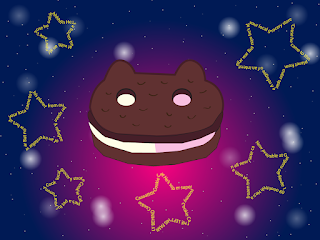
Here's Cookie Cat from Steven Universe! I really really like how this piece turned out! Illustrator is one of my new favorite things to work with! It is really precise and can turn simple lines into amazing pieces of art!  Fantastical Facts: Cookie Cat Edition: The words in the stars are the lyrics to the song Steven sings in the very first episode! The smaller stars in the background are handmade symbols placed over and over again. As always, thank you for supporting this small artist and blog! I hope you enjoy the work as much as I do when I create it! Have a magical day! -Maddy Wessling  

Presenting: Pikachu

Image
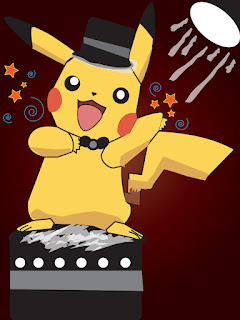
Ladies and Gentleman, here's the star of this artwork, Pikachu! For this assignment, we were given a template of Pikachu and we needed to outline and fill him in using Illustrator. However, I got a little creative, and added some details to the piece.  Fantastical Facts: Pikachu Edition: I did not really like the plain background, so I took inspiration from the contest element in the Pokemon games and made Pikachu bask in the spotlight! The lines aren't perfect and I got a little too complicated, but I know now how to edit that for future projects  As always, thank you for supporting this small artist and blog! I hope you enjoy the work as much as I do when I create it! Have a magical day! -Maddy Wessling

Balloon Dog Party

Image
 Here is my first ever finished work in Adobe Illustrator! I LOVE this piece! Illustrator is just so fun to work with and I am having a great time learning how to make new artwork with this program!  Fantastical Facts: Balloon Dog Edition: I have never worked in Illustrator before this piece! I have a balloon dog figure in my room and that is where I took inspiration from! The confetti brush and the pastel gradient section in Illustrator gave me SO much inspiration!  As always, thank you for supporting this small artist and blog! I hope you enjoy the work as much as I do when I create it! Have a magical day! -Maddy Wessling

Gumball

Image
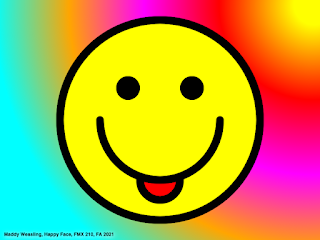
 Here is a lovely finished work of Gumball from The Amazing World of Gumball in HTML5! With the help from my Digital Media teacher, I was able to successfully code Gumball. I am really impressed that I was able to code the lines around the face so cleanly. I really love how this piece turned out! 

Seascape

Image
Here is another project I completed in HTML5! I really enjoyed creating this! It took quite a while, but I am really proud that I was able to add some animated elements to this. I hope you all enjoy!

Say Cheese!

Image
  Here is a finished HTML 5 canvas piece! My teacher taught us how to create this using only code! I LOVE how this piece turned out! I really like the rainbow effect in the back and how the colors pop! 

Radial and Linear Gradients

Image
 Here is a finished practice piece using both radial and linear gradients! I really like the way that this turned out! I actually made an error in the code originally, which created the pointy cone-like shapes. I decided that I liked it better than what I was going for before, so I kept it. I am really proud of my learning progress so far! In a short few weeks, I've went from not knowing anything about coding at all, to making this! I'm going to keep working hard, so please stay tuned and thanks for visiting!

First Try at Dreamweaver

Image
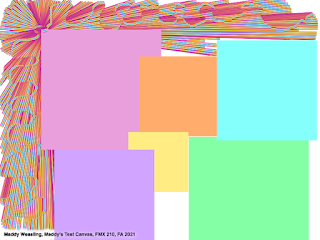
This may look a little chaotic but here is my first ever try at coding in Dreamweaver! I did this all using code to place where the squares and lines are on the canvas. It may not look like much, but I feel proud that I was actually able to code objects and lines! Hopefully I can continue to grow and create more pictures within Dreamweaver.  

ASCII Portrait

Image
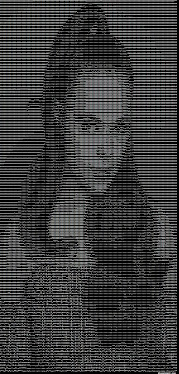
  This is a ASCII coded picture of me! I used the website: http://glassgiant.com/ascii/  . Today in Digital Media, we learned about ASCII and how this form of art can really transform any pictures or other works of art. Looking into the art form, I love the early pieces of animals, especially the bears (they are too cute).