Posts

Showing posts with the label Digital Media

Portfolio

Image
Here is my final project for my Digital Media class! I finally made it to the end! 👏This is a portfolio of every single piece I have done for this class. It was not an easy class, but worth every second! I cannot be more grateful to my teacher, Santi, for teaching me everything I have learned these past few months! I never thought I would be able to create what I have and it is a wonderful feeling. I had a lot of fun working in this class!  Fantastical Facts: Final Portfolio Edition: I created my own border for this portfolio. The rainbows in the corners were all handmade by me in Adobe Illustrator.  This project, although fun to create, took a lot of hours and caffeine to get through! I was working on this, the animation, and the GIF animation all simultaneously, but I survived!  'Japanese Dots' is my new favorite border! It is used throughout the portfolio. I think it adds just the right touch.  As always, thank you for supporting this small artist and blog! I hop...

Final Animation

Image
Here is my final animation video! This is a final project for my Digital Media class. We needed to take our GIF animations and compile them into one video. Also, we needed to add sound and credits at the end. This project was difficult, if I am honest, but I love how the final product looks and sounds! I used Adobe Photoshop, Premiere, and Garageband to complete this project. I am very pleased with my progress overall this semester, and the art I have created.  Fantastical Facts: Animation Edition: In addition to the GIF animations, this project took well over 24 hours to complete! I survived on caffeine.... The actual hula hoop is a weighted hula hoop and it is a thicker and heavier type of hoop. I used that one as opposed to a regular one because it would be easier to trace in the final version.  I was really surprised at how big the files were! I had to do a lot of editing in order to get each section under 1 MB. It makes me realize just how big movie files must be... Overa...

GIF Animation

Image
Here is my completed version of my GIF animation! For this project we needed to take a 30-second video and create an animation of it frame by frame! I had a lot of fun exploring with the different colors and backgrounds! The hardest part was tracing each individual frame. It took a lot of work and effort, but it was really cool to see how it all came together in the end. I really really like how this project turned out! Fantastical Facts: GIF Animation Edition: This project took more than 24 hours to complete! I had roughly 6 hours of sleep while doing this project... Each GIF has around 90 frames which were all hand-traced in photoshop.  The first background is an iceberg, the third is of space, and the last is of Mt.Fuji. All of them were slightly edited to fit the style that I wanted for the GIFs.  One thing I have learned from working in Photoshop this semester is hair is a real pain! It was still hard for me to get the hair right on each layer, even with my hair pulled al...

Autoscopy

Image
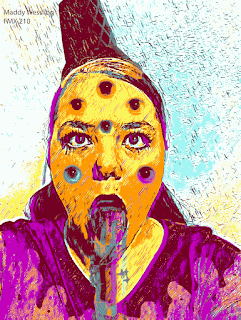
  Here is my final edit of my Autoscopy project! This one was a lot of fun! The original piece that was submitted for review was the last one. I liked it a lot, (as well as the other ones included with the submission, not pictured), however, I wanted to explore the GIF files more than I did originally. I ended up with the five versions seen before the original!  Fantastical Facts: Autoscopy Edition: At first, I had no idea what I was going to do for this project. We needed to tell a story and I was not sure how to make a meaningful story with the image I had. I ended up being inspired by a Dairy Queen ice cream cone I had a few nights before the due date. Personally, I have an anxiety disorder and sometimes it feels like all of my feelings, good and bad, come out at once, like an ice cream cone melting.  The shirt melting was all hand traced by me in photoshop! I was really impressed with how clean the lines came out!  I am not actually barfing a rainbow in the origi...

BW to Color

Image
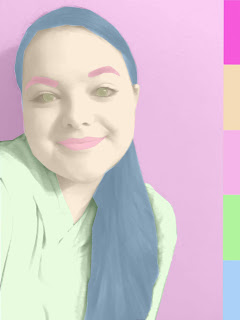
  Here is my completed Black and White to Color project! The original image used was taken by me simply in a room with a plain wall. This made the process easier to distinguish where I was compared to the wall in the production process. Before I added the color to the image, I changed the photo to black and white. I also made masks, which aren't perfect. I tried to fix the small errors with the eyes and the hair later, however, it only made matters worse. This final version is the original version that was turned in. Fantastical Facts: BW to Color Edition: The first palette is a square palette. The second palette is an an analogous, and the third is a complementary palette. These color combinations were made using Adobe Color! It is a great resource for making palettes that you can reuse for digital art.  The eyes and the hair have some small mistakes in the lines. They look a little funky, but overall I liked how the piece works conceptually and I decided to keep it.  Ha...

Calligram

Image
  Here is my Calligram project! This one I completed a while ago, however, it was not the greatest....The original is the pastel rainbow version. I had a hard time envisioning where the words should go and making the Calligram visible. After seeing some examples in class, I realized I needed to play around with the size, the amount, and the shapes of the words. I also added a white background to the outline of myself to make it stand out a little more. I decided in the end that the blue gradient background worked better than the rainbow one, so I chose that one in the new final product. In the end, I am really happy with my progress! It goes to show that mistakes happen, but you can always persevere and learn from slip-ups.  Fantastical Facts: Calligram Edition: The text in both versions of the Calligram are from notes that both my mom and dad wrote for me. My dads was from when I graduated high school and my moms was just a random, sweet note.  The original image is from...

Multiplicity Project

Image
  Here is my Multiplicity Project! For this project we needed to use Photoshop to place ourselves in the same photo 6 times! For this, my dachshund Coco, joined me! I had a lot of fun creating this project and I am really happy with how the final layout turned out! Fantastical Facts: Multiplicity Project: A HUGE shoutout to both my mom (for keeping the camera perfectly aligned) and to Coco (for putting up with all of the costume changes and the sheer amount of photos we took)!  I was really not sure how these pictures were going to look together, especially with a live dachshund in every shot, but all of them ended up meshing together without too much trouble! It was challenging to put Coco in and to keep her focused in the camera, however, I thought it was a fun idea to have a dress-up party so I am extremely happy with the results! (Don't worry, Coco got plenty of rest and a BIG treat afterwards!)  The picture on the back right is one of my favorite pictures of Coco and...

Somewhere Project

Image
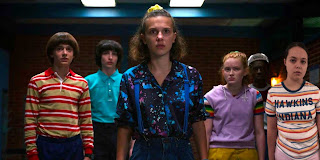
Here is my finished project for our "Somewhere" photoshop assignment! I had SO much fun with this one! We needed to take a scene from a movie or TV show and photoshop ourselves into it. I chose Stranger Things for this project.  I am a huge fan of the show and had a good time creating this piece. Fantastical Facts: Stranger Things Edition: The episode that this scene is from is called "The Sauna Test" from season 3.  It is where the kids try to get the Mind Flayer out of Max's brother, Billy using a sauna. I personally really like this episode because of its intensity and I wanted to try to fit myself in with the other kids.  The shirt was actually a Christmas gift a few years ago and I decided it would be fun to wear it as if I was from Hawkins.  Taking the picture on a neutral background (aka a bedroom wall in my house) really helped with the cleaning and editing for this project!  A big shoutout to my mom for helping me take a perfect picture! Thank you Hall ...

H.O.P.E.

Image
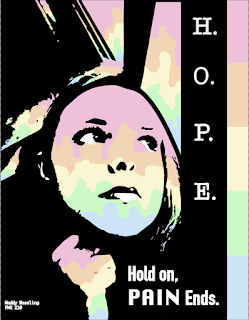
  Here is my finished design for my latest project! I LOVE how this piece turned out! Of course I had to use my favorite pastel colors. The rainbow just makes me very happy and I thought the colors fit well here with the stark black contrast. Fantastical Facts: Poster Edition This took a little longer than I had anticipated. I had a hard time finding the right picture to turn into black and white, and that would fit with the quote I was using. The final reference image was actually taken during a rough time and really fits the context of the quote so I am happy this image translated well. I like how the window looks like it is dripping down with the rainbow colors. In the original image, it was raining outside, so I decided to make it look it like it was raining a rainbow outside.  Believe it or not, the reference image was taken on a school bus! The final black and white image doesn't really look too much like a bus but I am really glad the background looks the way it does....

Business Cards & Logo

Image
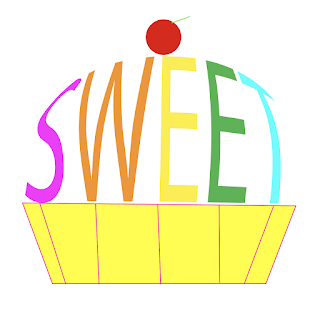
  Here are my final designs for my Digital Media class! For this project, we needed to create a business logo and cards based off of a word that best describes us! I chose the word 'sweet' after a lot of debate. All objects are made in Illustrator, apart from the mood board and the sketches. Fantastical Facts: Sweets Inc. Edition: Sweets Inc. is not a real company, just made for the purpose of this project! Please don't contact any of the information listed, as it is fake! !! All of this is just a demo !! I almost chose the word 'colorful' and made a paintbrush instead of the letter 'l', but liked the sweet logo SO much that I decided to do that instead Thank you to Mom and Dad for helping me pick out the words, final designs, and supporting my work! You guys are the best! ❤️ Hall of Fame Piece 💫 As always, thank you for supporting this small artist and blog! I hope you enjoy the work as much as I do when I create it! Have a magical day! -Maddy Wessling

Care Bears Countdown

Image
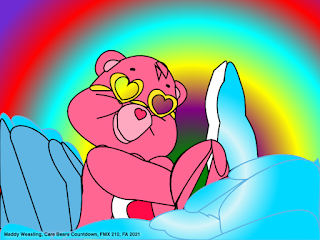
 Here is my finished version of Love a Lot Bear! It is not perfect, and I really need to work on perfecting the lines, but I am proud of my progress and how far I have come within a short time. The background and the part of the clouds does move, but I chose this still image to post here. This project took 20+ hours and a whopping 1,441 lines of code!